
WordPress 7.0 has been released
May 22, 2026
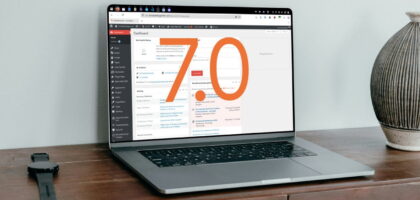
The long awaited WordPress 7.0 has been recently launched with a range of new functionality available for the internet to enjoy. There is a wide variety of functionality to make most people happy with the update depending upon how you personally use WordPress.
The first striking difference is the refreshed admin look and feel, which does feel modern while respecting the historic WordPress colour pallet choices. For example, we tend to opt for an the Midnight theme due to it’s inclusion of a bold orange accent colour which reasonably matches our branding, but the choices are there to really make WordPress your own.
Most plugins and themes should work with the update, although with it being a big number increase from the 3.9 series we have been use to for many years, likely some plugins will break over time — sadly more so for plugins which are no longer maintained.
Block Editor Improvements
Like with every release there is an emphasis on improving Gutenberg or the block editor, and the improvements in every release are always a warm welcome. While WordPress also allows for the older functionality to persist, the block editor has been making strides to make it easier for both users and developers.
This release includes fully server-side blocks making it even easier than ever to create blocks which have been previously quite a different methodology to traditional WordPress. Server-side blocks will always be required, especially with platforms like WooCommerce needing to dynamically render content such as customer baskets etc. Having this functionality will likely allow for plugins to add blocks to their feature list even if their authors do not want to fully invest (yet) in the ecosystem.
For users likely the biggest jump is to have revisions supported in the block editor which while there are some technical challenges that had to be overcome, it is really appreciated to see this behaviour improved.
AI integration
The big talking point is the AI integration in WordPress. The good news is that it is entirely tucked away if you don’t wish to use it. There’s no popups, no constant toolbar icons, nothing.
If you don’t want to use it, it simply just lives in the settings bar with no data ever being sent by WordPress to any AI company from your website.
If you do wish to use it, there is a wide selection of AI companies, along with underlying infrastructure to allow for other AI companies to come along and use it, and for plugins to provide additional functions for AI to use.
We really appreciate WordPress taking an approach similar to the WordPress importer – everything is just a list of plugins which can be installed and activated should a user wish to use them, and never before then.
Command Palette
For everyone using WordPress 7.0 this feels like it could become a really useful function: A dedicated, platform-native command palete. Typically reserved for power users, the helpfully placed shortcut should make it accessible to users.
It’ll be very exciting to see how different plugins may expand on this over time, for example with WooCommerce being able to quickly navigate to a product (and possibly seeing stock status would be great!) or an order will make shop manager’s life a lot quicker.
That, or it could end up being a fad – it’s hard to judge with it being so new but we hope this type of power-user functionality continues to improve the platform over time.
Our overall thoughts of WordPress 7.0
Overall WordPress 7.0 is a well needed update and so far it has caused minimal issues for such a major release in our experience which is always great to see the hard work from the WordPress team to ensure it continues to be an incredibly strong CMS for the future, whatever shape or form that may take.
The only thing to note we’ve seen – please when talking about WordPress online use real screenshots, and not a LLM’s interpretation of what the dashboard looks like!

About the author
Web Developer
As a web developer with over 10 years of commercial experience working on a range of platforms and clients, owning Invisible Dragon allows me to take this experience and produce high-quality websites and web applications to small businesses.